
2. Add user
After setting up your organisation details, proceed to invite your staff to Beegle by clicking the  icon and then selecting 'Users'.
Once on the Users page, the 'New User' button at the top of the screen can be clicked to create a user.
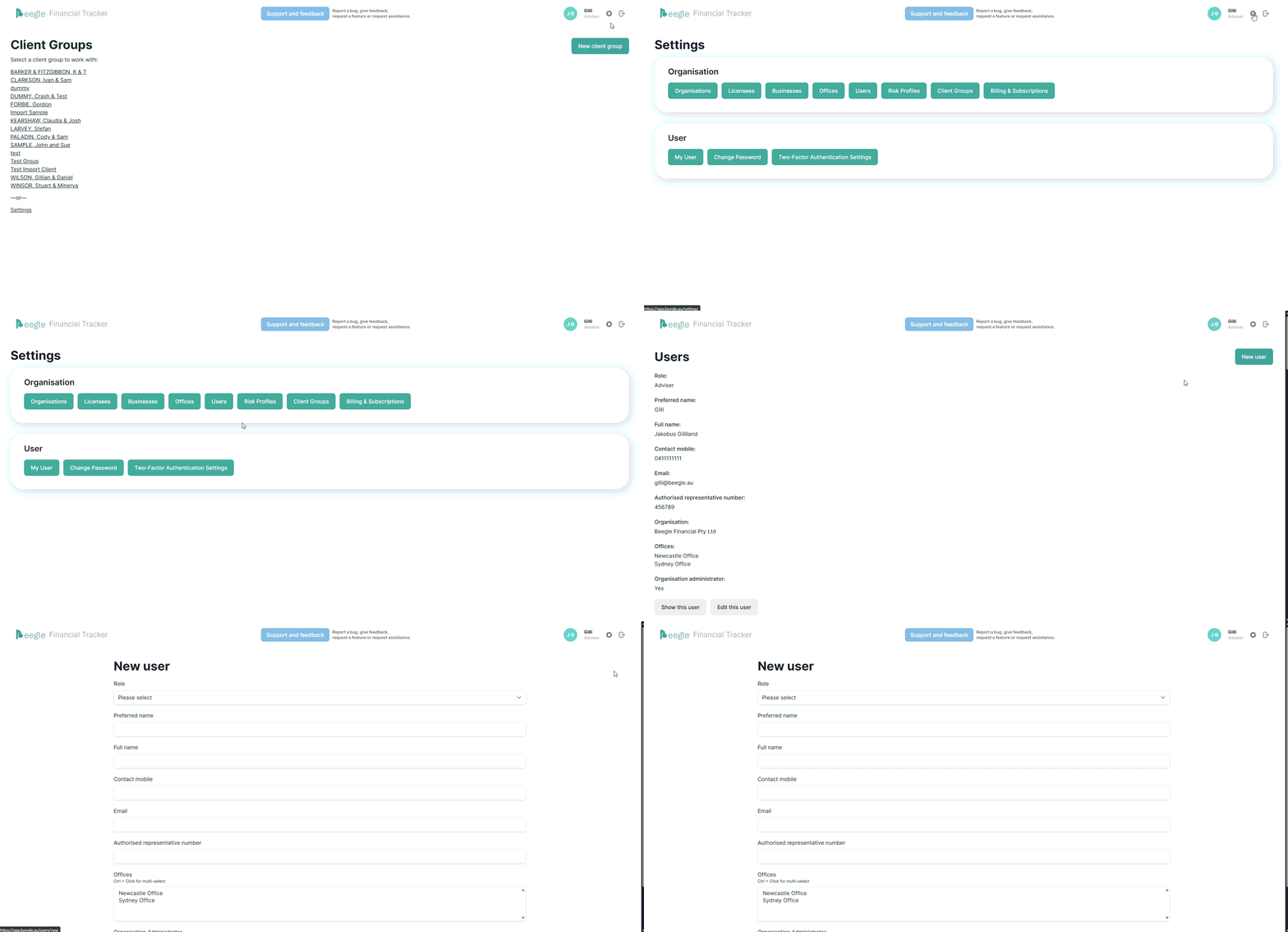
The process of adding a user is detailed here.
Only users with administration privileges can add or manage users.