
Manage Payment Details
Following are the details for managing payment details for an organisation.
Only users with administration privileges will be able to manage or view subscriptions.
When are Details Required
As Beegle allows two free sample client groups, an organisation is only required to provide payment details once the third client group is activated.
Billing Provider
Beegle utilises the services of Stripe to facilitate invoices and payment processing.
Access Stripe Portal and Manage Billing Details
To access your Stripe portal, start by navigating to the 'Billing & Subscriptions' page under settings:
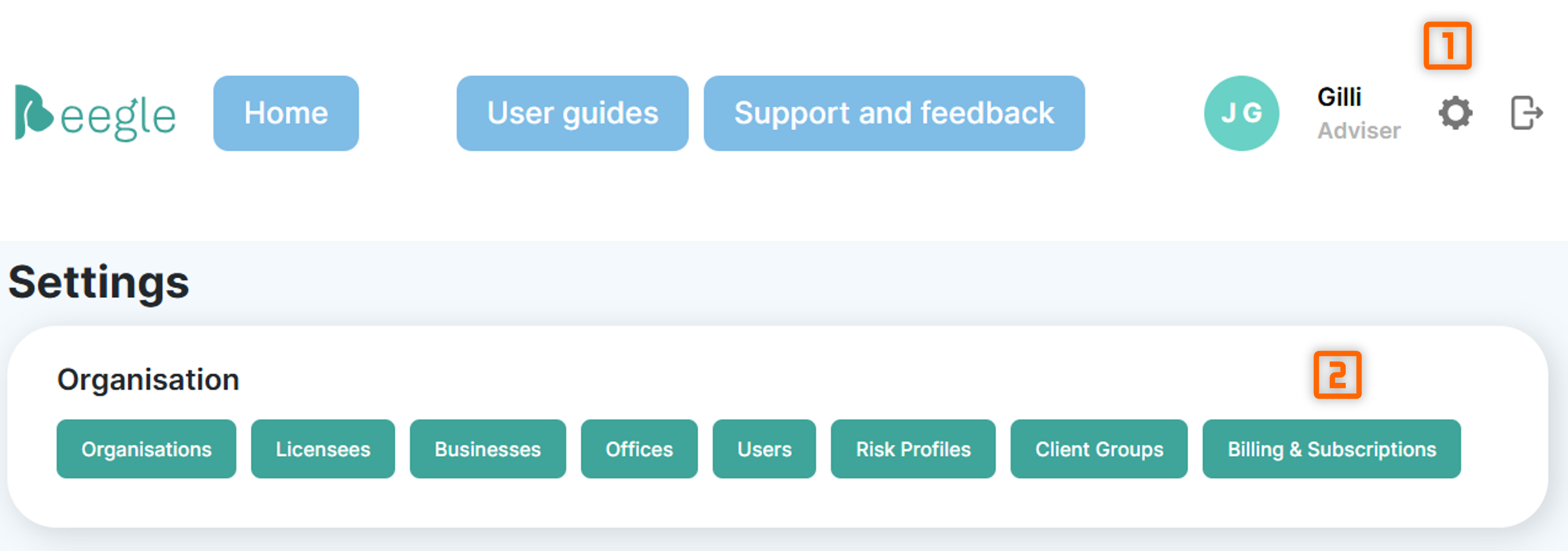
From here click the 'Manage Payment Methods' button. You will then be taken to the Stripe portal for your organisation.
Once on the stripe portal you will find several details and settings:
- Current Subscription
- Indicates what your next invoice will look like based on your client group subscriptions, as well as the expected cost.
- Payment Method
- Lists your payment methods added to stripe.
- Also allows removing existing payment methods, or adding new ones.
- Billing information
- Details of who is issued the invoices and where they are emailed to.
Add your business ABN in the 'Tax ID' field to ensure GST is correctly reflected on your invoice.
- Details of who is issued the invoices and where they are emailed to.
- Invoice history
- Records of previously issued invoices