Agenda Popover
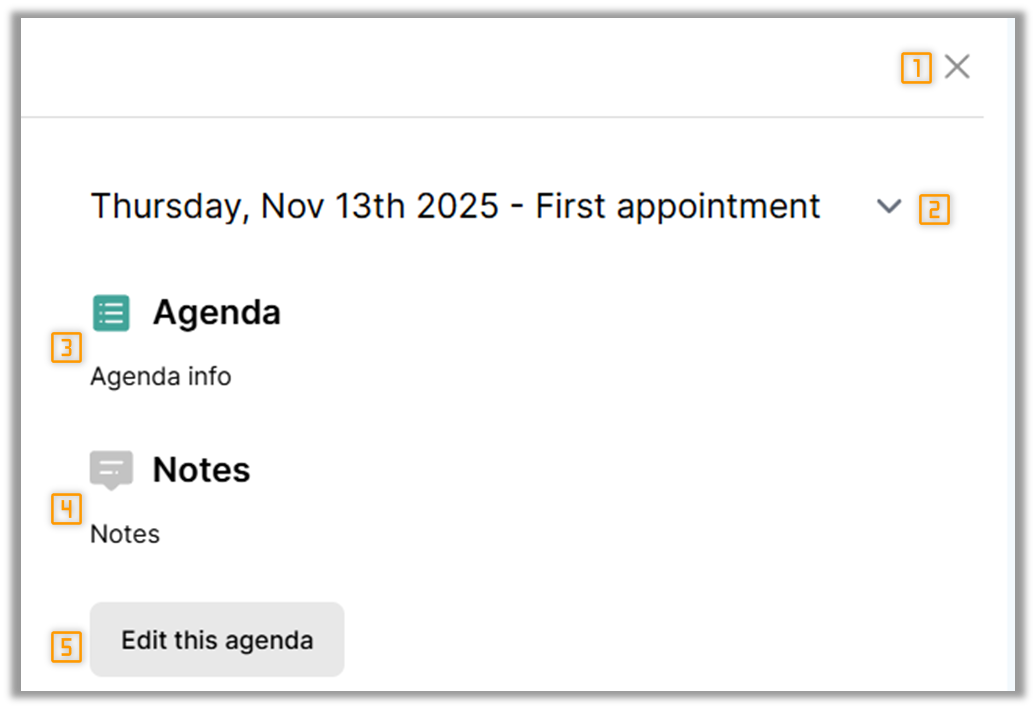
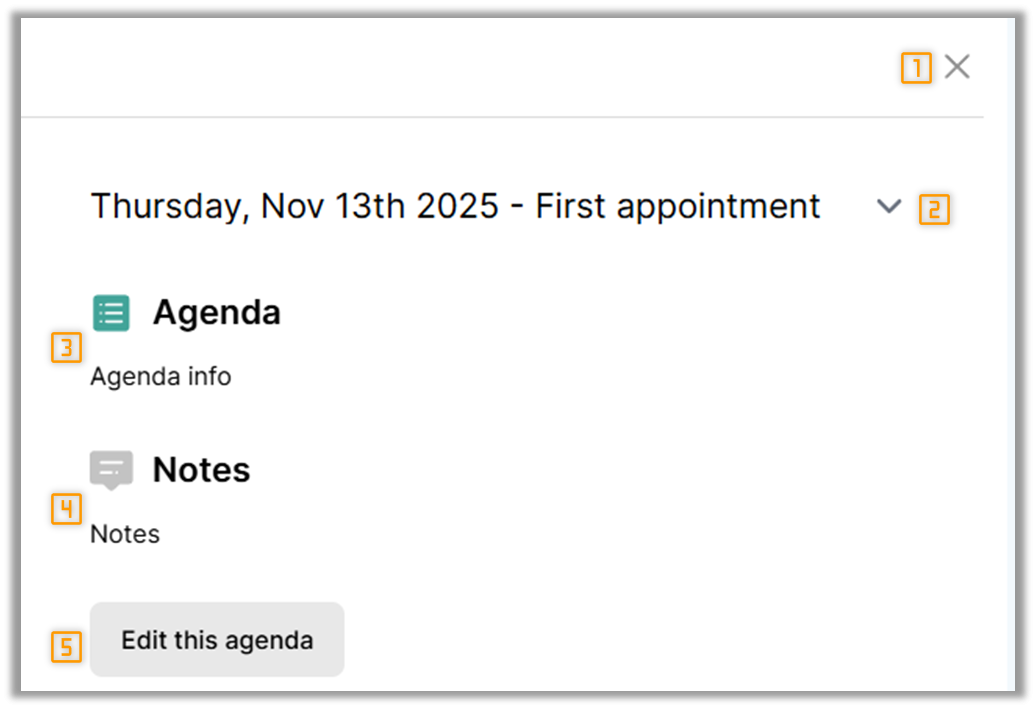
When viewing a client group, an agenda popover is available from any view within the client group. The popover is accessed from the right of the screen by clicking the  icon. Clicking the button will show the following popover.
|
|
- Close: Clicking this closes the agenda popover.
- Agenda selection: Allows you to select which meeting agenda is shown on the popover.
- Agenda content: Displays the contents of the agenda field.
- Notes content: Displays the content of the notes field.
- Edit this agenda: Clicking this allows you to edit the Agenda and Notes fields directly within the popover rather than navigating to the dedicated Agenda's view.
If no agenda's exist for the client group the popover will not display anything.
|