
4. Add client groups
After adding business, office, user, and billing details you can start adding your clients by clicking the logo or home button, then the 'New client group' button.
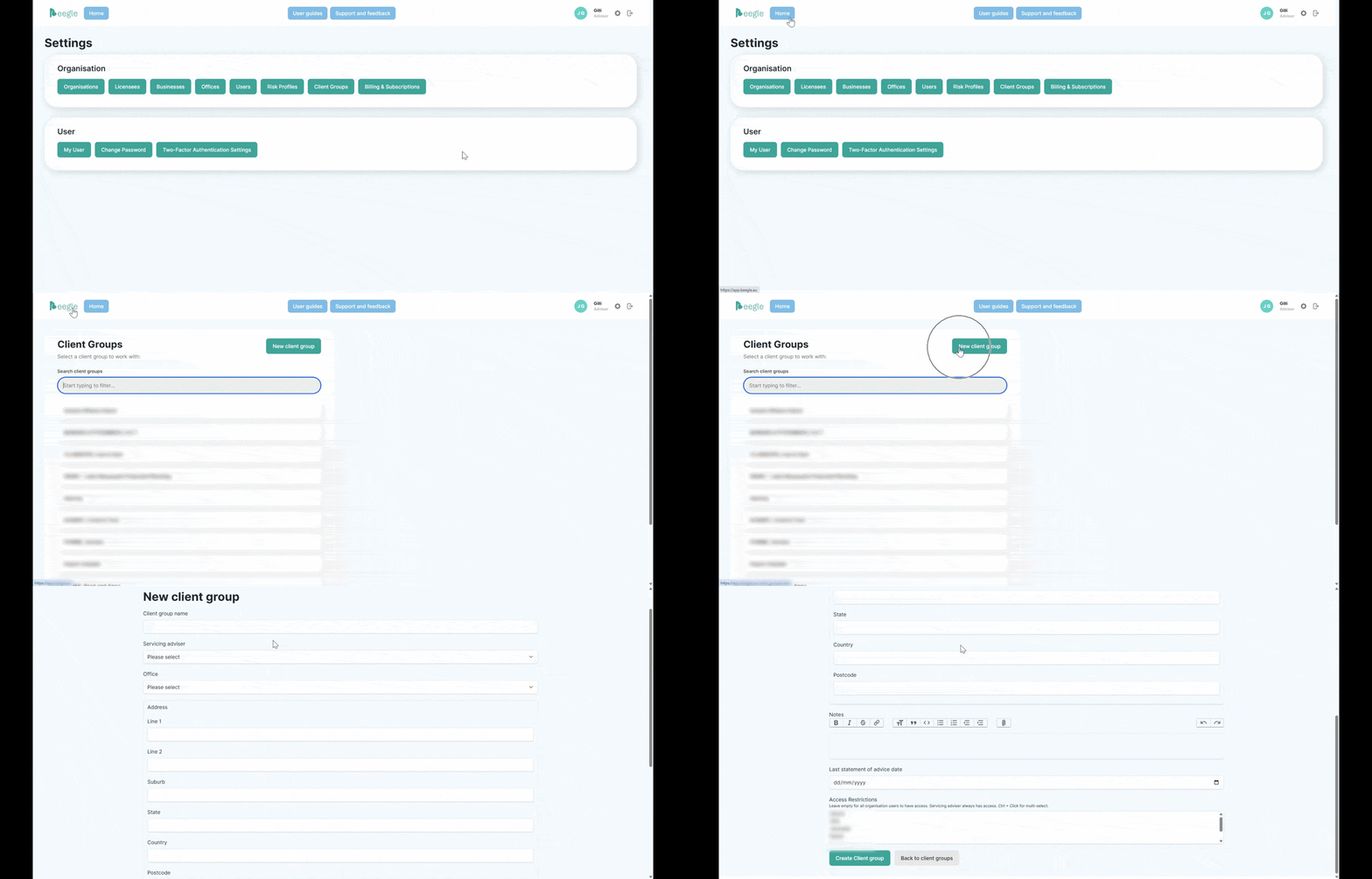
When a client group is first created, they will be in read only mode, preventing you from adding or editing any details except for those relating to the overall client group. You must first activate the client group subscription.
Refer to the Best Practice guides for Beegle's recommendations around storing certain data and scenarios.
Your first two client groups are free, as they serve as dummy clients, and do not require payment details.
Only Beegle users with administration privileges can enable a client group subscription.